
GOT3000 Series GT37 model Functions (Video Interactive)

Functions (Video Interactive)
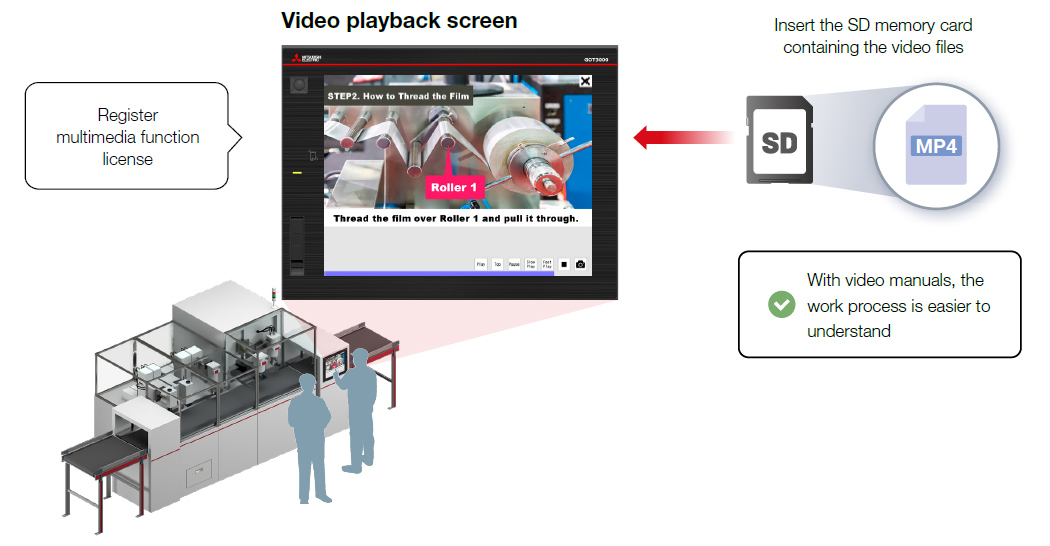
Video manuals can be played using GOT
NEWDigital Image Recording and Playback (File Playback) License required
- Videos (MP4) can be played back on user-created screens.* They can be controlled using the configured touch switches placed on the screen.
- Video manuals can be played back on the on-site GOT, enabling rapid training and task standardization. This approach enhances operational efficiency, even in environments with high turnover of workers and smallbatch production.
- *Audio playback is not supported.
Easier Andon display
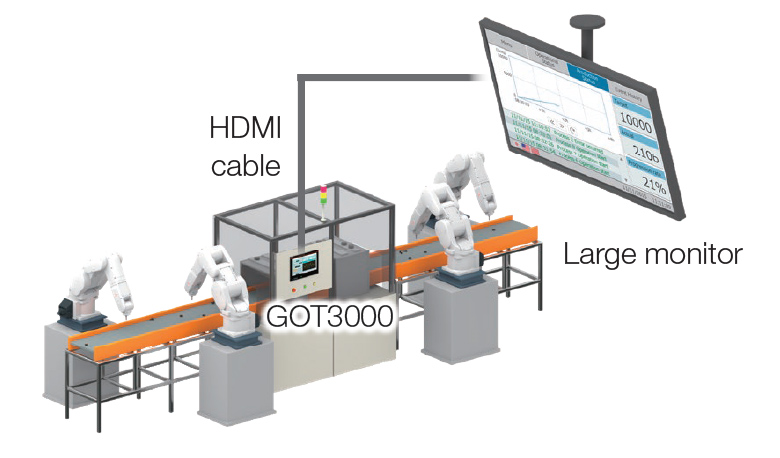
NEWBuilt-In Digital Video Output Interface
- With a single HDMI cable, display GOT screen on a large monitor.
- A different screen from the GOT screen can be displayed.
- It can be used for Andon system information sharing.
Output to external display without an option unit
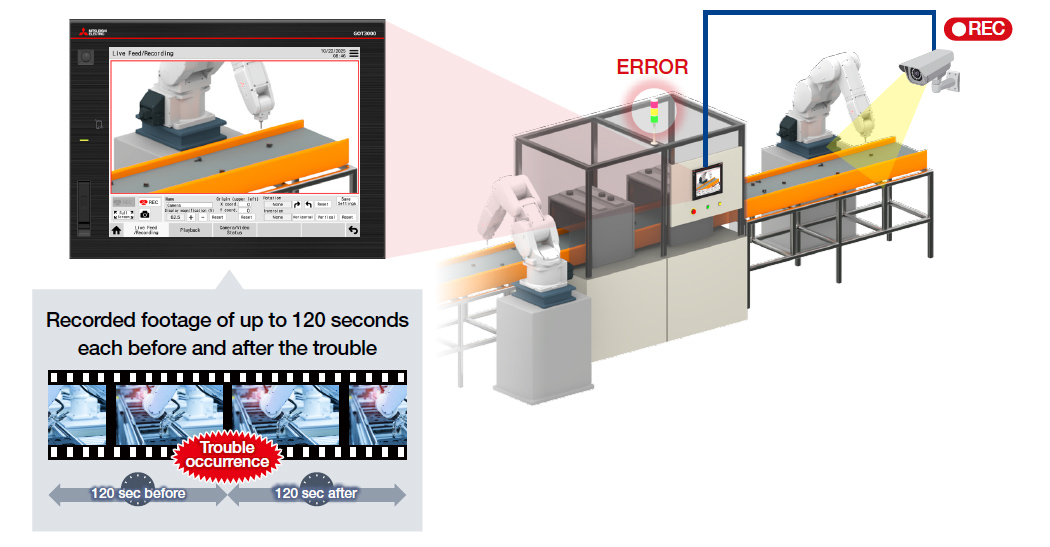
Camera footage can be displayed, recorded, and played back
NEWDigital Image Input/Recording and Playback License required*1
- Connect to a web camera or a network camera to display the live feed on GOT.
- With the recording and playback function, verify machine conditions through camera footage when problems occur.
- *1For recording and playback or displaying footage from a network camera, a separate multimedia function license is required.
For the latest add-on projects, please contact your local sales office.
| Item | Compatible camera*2 | ||
|---|---|---|---|
| Web camera | Network camera | ||
| Connection method | USB | Ethernet | |
| Number of connectable devices (max) | 1 | 4 | |
| Resolution | Full HD (1920 x 1080) , HD (1280 x 720) , VGA (640 x 480) | ||
| Number of live feed display units (max) | 1 | 4 | |
| License | Not required | Required | |
| Number of recording and playback units (max) | 1 | 1 | |
| License | Required | Required | |
- *2When using the camera, please choose either a web camera or a network camera.
For cameras that have been tested for compatibility, please refer to the Technical Bulletin