GOT3000 Series GT37 model Maintenance Solutions

Reduce man-hours with the various functions that support maintenance work.
The alarm situation can be reproduced at the desk
Offline Monitor (Utilization of System Recorder Data)
- The device values recorded by the system recorder (recording files) before and after a trouble occurrence can be displayed and checked graphically on a PC monitor.
- By reproducing the operation screen and program status at the specified time according to the seek bar in GX Works3, you can synchronize the operation with the equipment status, allowing for quick identification of the cause of the trouble.
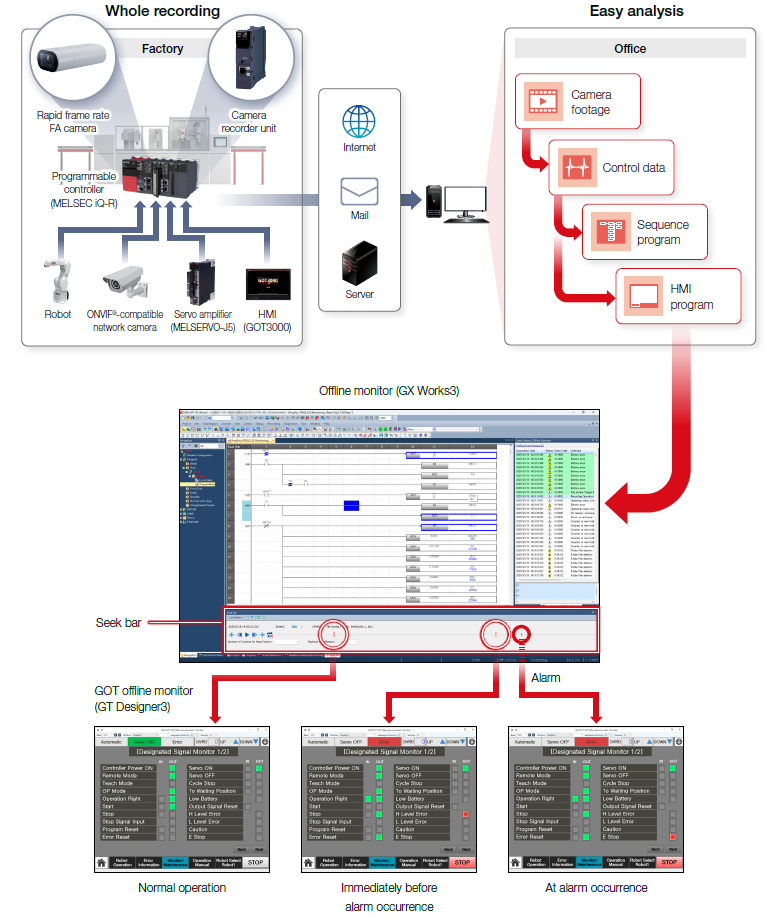
Enhanced traceability enables quick troubleshooting
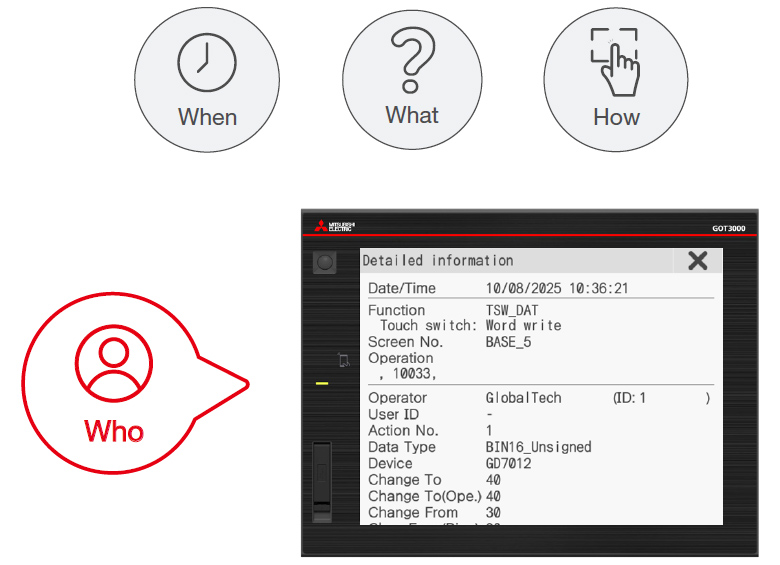
Operation Log
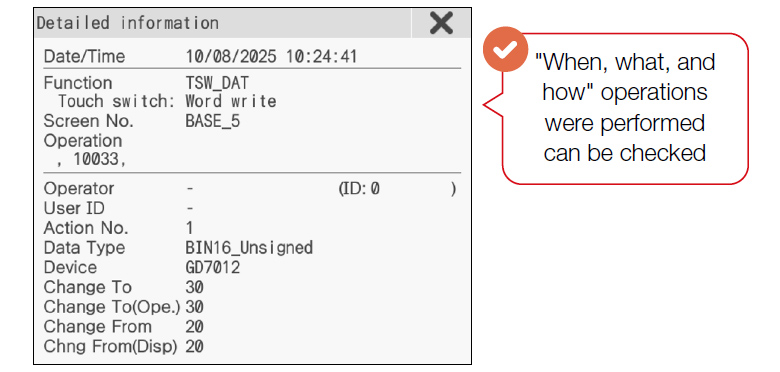
Check details of what, when, and how operations were performed on GOT.
Operation Log List
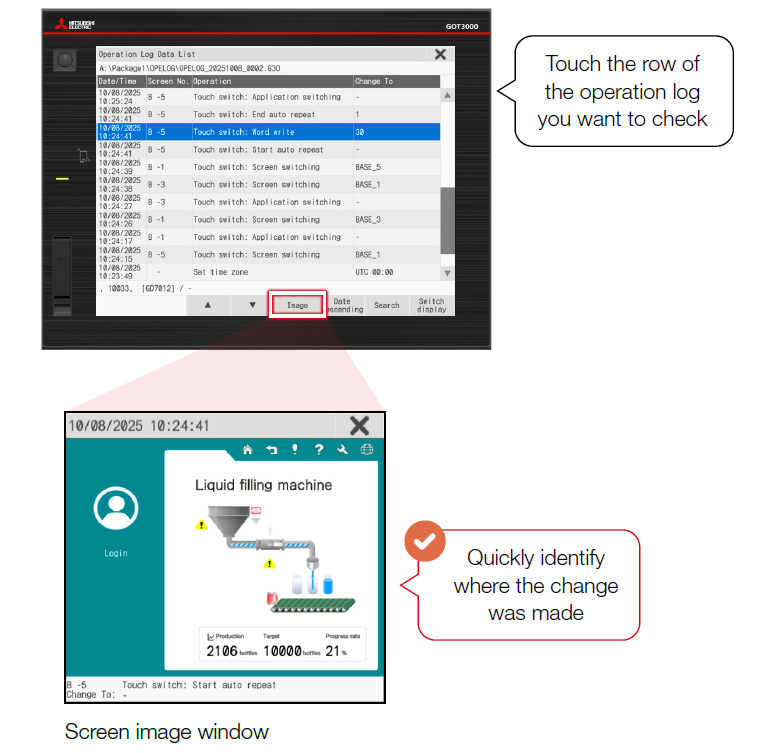
More details
Detailed Information
Information is conveyed more effectively through audio
Sound Output
Speech Synthesis (GT Designer3)License required
- Operators can be notified with a voice alert when an event occurs in the equipment. In addition to visual notifications, voice alerts help deliver instructions to operators when action is required.
- Melodies or custom messages will be played depending on the situation.
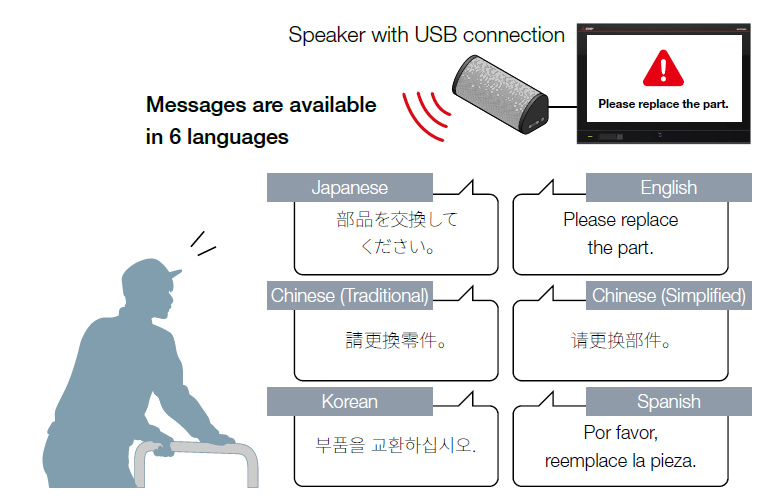
Convey information easily and reliably with sound
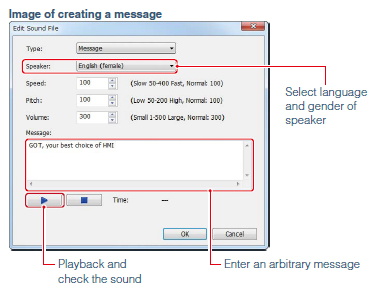
GT Works3 can now be used to synthesize speech data. Sound files can be created easily.
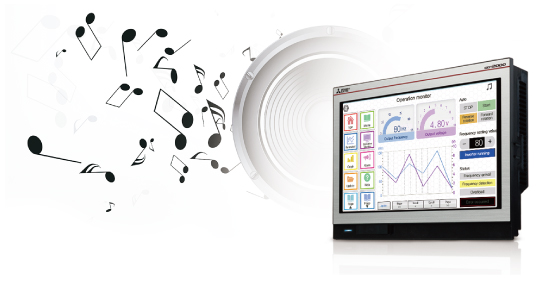
Support sound file creation
Speech synthesis function*1
NEW
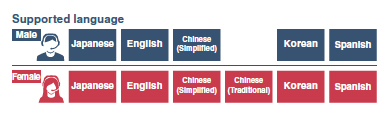
Just enter text in GT Works3 to create a sound file of a message. (Up to 500 files can be registered.) Messages can be created in 6 languages and you can select the speaker (female/male) for each language. In addition, using FA Term Translation Tool*2 together can reduce time for multi-language screen creation and support globalization of the system.
- *1GT Works Text to Speech License (SW1DND-GTVO-M) is required separately.
- *2This tool is included with GT Works3. For more details, please refer to the "FA Term Translation Tool" or contact your local sales office.
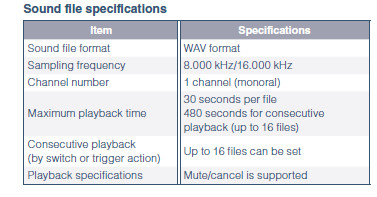
Enhanced playback functions of sound files
Multiple files can be set and played back consecutively (up to 16 files).
The playback time is now longer than before so that various messages can be used.
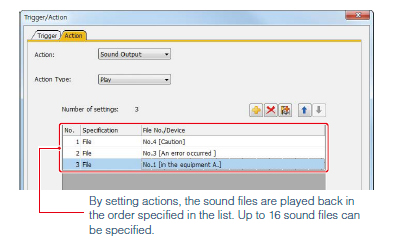
Easily set consecutive playback list (by switch operation or trigger action)
In GT Works3, just specify the files in the playlist in the order of your preference and the files are played back consecutively.
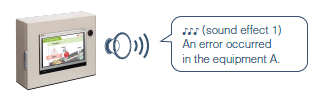
Cancel or mute the sound while it is being played back
After checking the situation, you can stop or mute the sound while it is being played back so that you do not need to worry about annoying other operators.
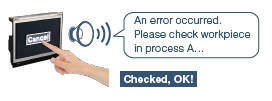
Sound notification is useful at the worksite
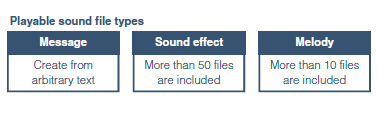
Use message, sound effect, or melody to notify occurring events
When an alarm occurs, outputting a warning message or a warning sound can reliably convey the information to the operators who are working away from the GOT. It is also usable while screen saver is active. Quickly notify the alarm information and the error cause of the equipment to reduce the downtime of the system.
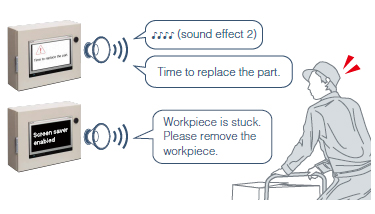
Additional functions
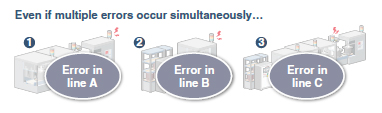
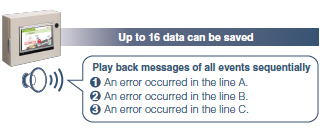
Even if multiple errors occur, playback all messages
If multiple errors occurred simultaneously, GOT saves up to 16 data and notify all events. There is no need to worry about missing some occurred events.
Consecutive playback reduces data size
You can extract common parts and register them as separate sound data to avoid saving duplicate data and reduce data size. To change messages, simply change the combination.

Useful tips about using sound notification
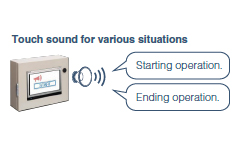
Change touch sound depending on the situation
The touch sound can be changed depending on the worksite situation or the operator's preference.
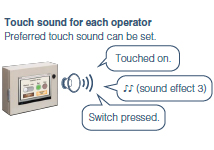
Use as the sound guidance when touching a switch
When touching a switch, a message guides you to the next operation and notifies cautions so that you can avoid operation mistakes in advance.
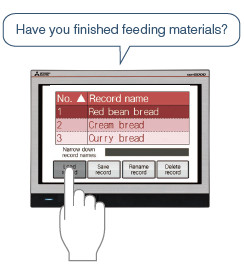
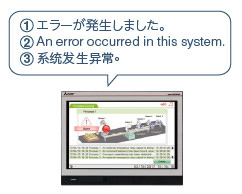
Announce a message in various languages sequentially
When there are operators who understand different languages, you can convey necessary information correctly to every operator.

Specification details and restrictions
For the supported connection types and necessary option devices, please refer to the relevant product manual.
Convenient access for machine maintenance
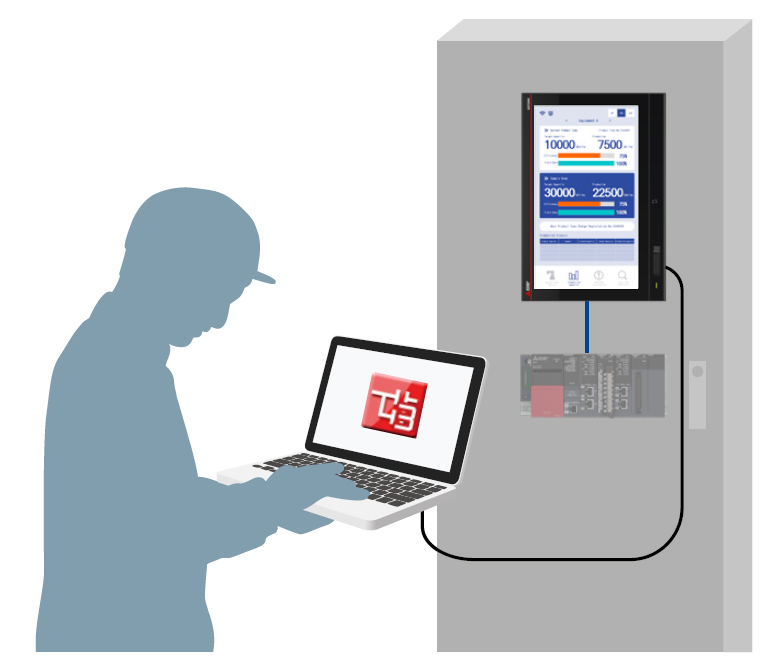
FA Transparent
- Use GOT as a pass-through connection to access controllers inside the control panel.
- There is no need to open the control panel to connect the computer to the controllers.
Access, start, and adjust each FA device from GOT
Retain important information even without a battery
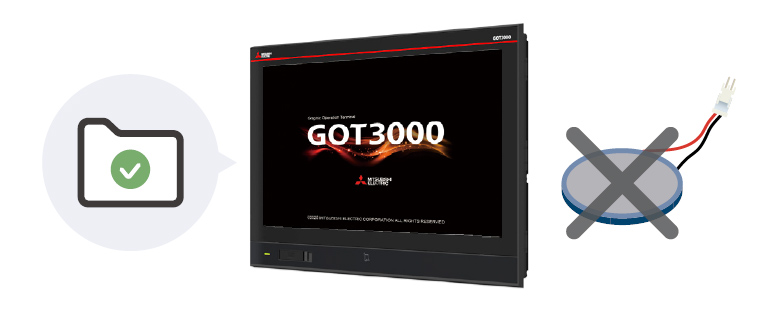
NEWEquipped with Non-Volatile RAM
No battery is required to retain data such as logging data and alarm data.*
- *A battery GT11-50BAT (sold separately) is required for backing up clock data.
Important data is retained
Quick recovery with on-site GOT, no computer needed
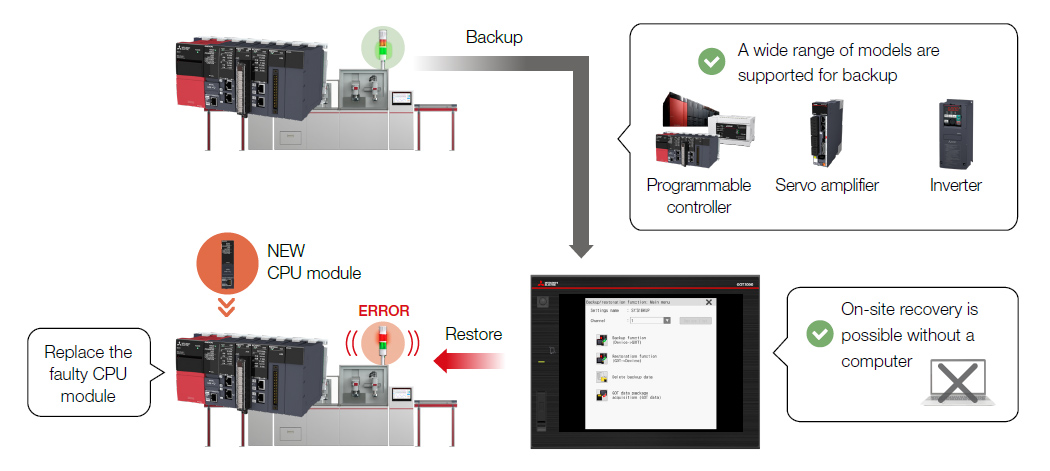
Backup/Restore
- GOT can backup/restore program and parameters of connected controllers.
- When replacing equipment due to failure, restore the backed-up data using GOT to quickly return the machine to operating condition.
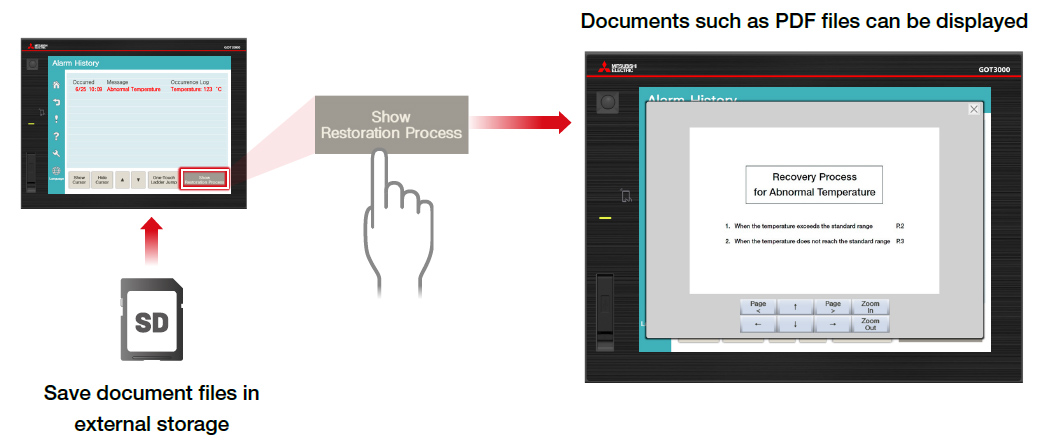
Recovery manuals can be displayed on GOT
Document Display
- Documents (PDF/Document Converter output file) such as manuals can be displayed on GOT.
- You can display specifications or manuals as documents to assist with troubleshooting or to check operation procedures while monitoring.