

Improving program development efficiency
Are you facing these challenges?
Programming in different languages for different engineers or regions
Large, complex projects hat are difficult to manage and prone to bugs
Long commissioning time due to large equipment scale and high axis count
Solution
The MX Controller is designed to solve these challenges through one-tool engineering.
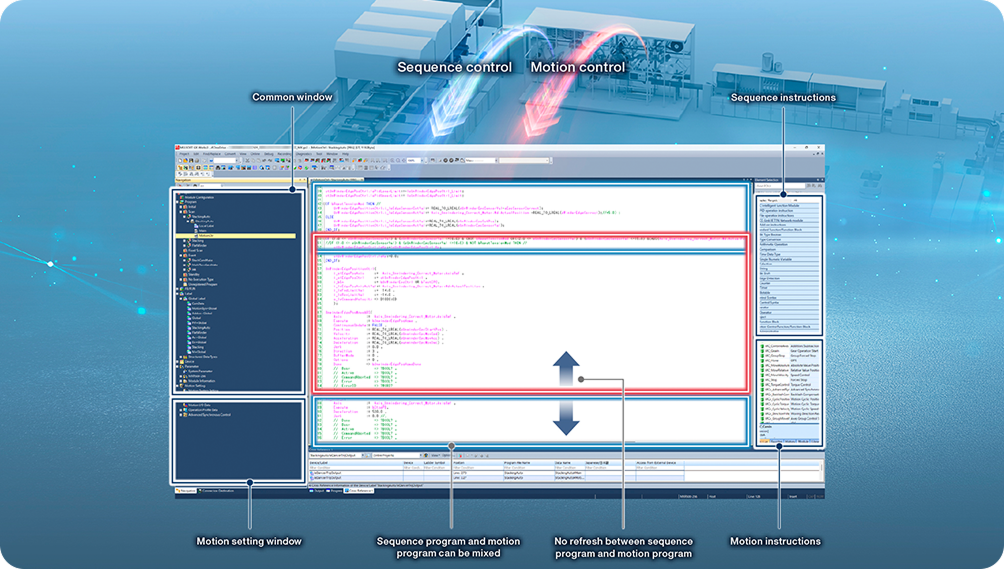
Sequence control and motion control
integrated in one program
No need to create and synchronize
separate projects for different control types
Modify data and logic without
refreshing or converting programs
As a result, engineers can reduce programming and debugging
time while improving stability for multi-axis systems.
IEC 61131-3 compliant programming
The MX Controller fully supports standard programming languages:

Ladder Diagram (LD)

Structured Text (ST)

Funcion Block Diagram
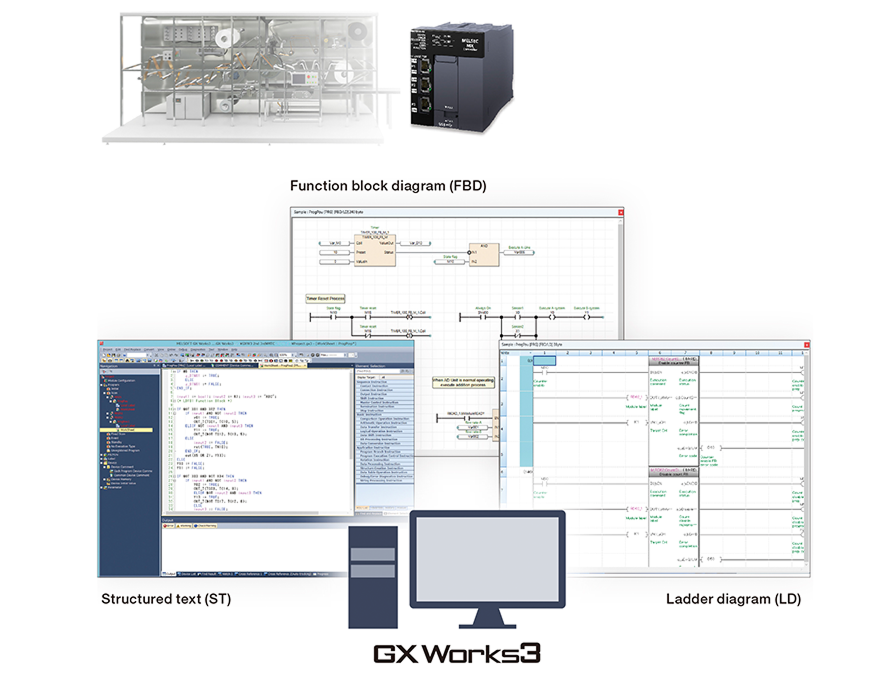
In addition, motion control also supports LD, ST, and FBD in compliance with PLCopen Motion Control standards:
Easy-to-read and easy-to-understand
program structure
Simplified handover and maintenance
Reduced design, modification,
and program expansion time
Reduce programming workload with labels, structures, and arrays
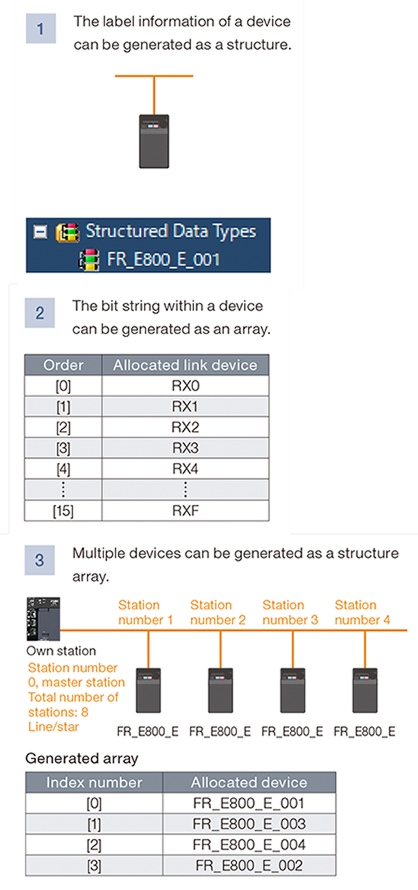
| The MX Controller enables signal and device management through: |
|---|
| Labels: assign names by function without depending on physical addresses |
| Structures: group related data into one structure |
| Arrays: process multiple devices or axes simultaneously |
| Value: |
|---|
| Easy-to-read, scalable programs |
| Synchronized updates when labels are changed |
| Reduced duplicate code and fewer errors during system expansion |
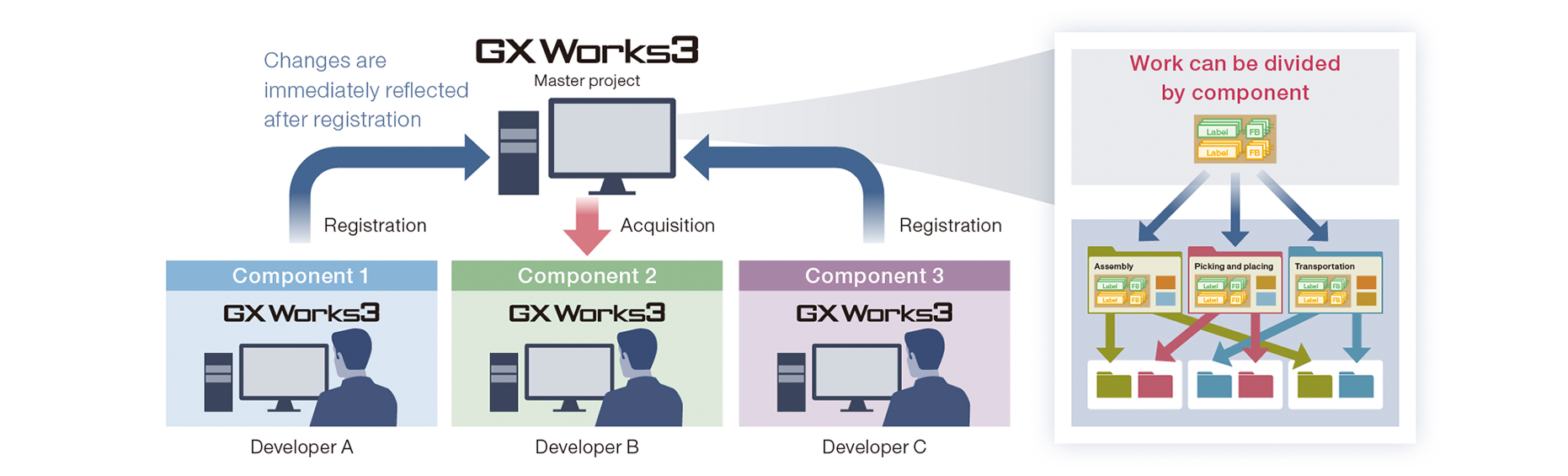
Modular program development
With the MX Controller, programs can be:
Divided into components (assembly, picking, transportation, etc.)
Reused across multiple machines or different processes
Clearly assigned across multiple engineers
This helps standardize programs, improve reusability,
and reduce bugs.
Efficient project management for multiple engineers
| MX Controller supports: |
|---|
| Centralized program configuration management |
| Change history tracking by component |
| Fast data recovery when issues occur |
| Ideal for: |
|---|
| Large-scale projects |
| Multi-engineer development |
| Factories with multiple lines or multiple sites |
Reduce commissioning time for multi-axis machines
Automatically generate axes
from network configuration

Batch assign axes
and IP settings
Configure multi-axis positioning data from dedicated tables

Continuous positioning control with Function Blocks (FB)